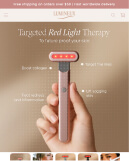


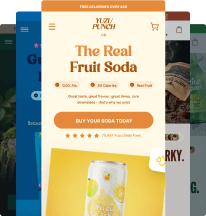
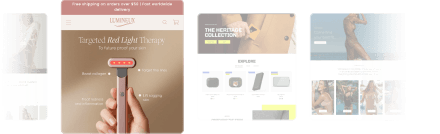
You don’t need to touch code or hire a developer to customize your Shopify store in 2025. With the right tools (like Atlas AI), you can:
- Launch a fully branded store in under 60 seconds
- Adjust layouts, colors, and sections visually
- Add high-converting features like upsells and bundles without extra apps
Why Store Customization Matters
A cookie-cutter Shopify theme might look fine, but it won’t make you stand out—or convert as well as it could. A customized store:
- Matches your brand identity
- Highlights your product’s value visually
- Improves user experience and trust
The problem? Traditional customization usually means either:
- Learning Liquid, HTML, and CSS
- Hiring a developer or designer (costly and slow)
The No-Code Way to Customize Your Shopify Store
1. Start With a Mobile-First Premium Theme
Choose a theme that’s already optimized for conversions. Atlas AI’s premium Shopify theme comes with:
- 30+ modular sections
- Built-in animations
- Mobile-optimized layouts
- Fast load times
2. Use Visual Editing for Layout Changes
Shopify’s theme editor allows drag-and-drop changes without touching code. With Atlas AI, the store you generate is already set up with:
- Pre-styled sections
- On-brand colors and fonts
- Professionally written, conversion-focused copy
3. Add High-Converting Features Without Plugins
Instead of stacking multiple paid apps, Atlas includes:
- Bundler App: Create mix-and-match or quantity discount offers
- In-Cart Upsell App: Offer upgrades directly in the cart
- AI Product Images: Enhance supplier photos with studio-quality visuals
4. Customize Product Pages for Impact
Atlas generates product pages with:
- Benefit-first headlines
- Lifestyle and product shots
- Trust badges and urgency timers
- Built-in FAQs to address objections
You can still tweak copy, swap images, or adjust sections visually.
5. Maintain Speed and Clean Code
Bloated third-party apps can slow your site. Atlas is an all-in-one system, so your store stays fast and lightweight.
How to Customize Your Shopify Store With Atlas AI (Step-by-Step)
- Sign up for Shopify and install Atlas AI Store Builder
- Paste your product link (AliExpress, Amazon, Zendrop, or Commercive)
- Click Generate Store
- Use Shopify’s editor to tweak colors, sections, and layout visually
- Launch your fully branded, high-converting store
Time: < 60 seconds to build, a few minutes to personalize.
Why Atlas Is the Best No-Code Customization Option
- Proven Layouts: Built from frameworks used by 8-figure DTC brands
- All-in-One: Theme, copy, images, upsells, and bundles in one app
- Faster Launch: Skip days of manual edits—go live the same day
- $20M+ Proven Sales: Atlas-built stores have driven over $20 million in revenue
Final Thoughts
Customizing your Shopify store shouldn’t require coding skills or a big budget. With Atlas AI, you can launch a store that looks custom-built—without the time, cost, or complexity.
👉 Install Atlas AI on Shopify and start customizing today.
Related Posts:
- Product Page Optimization: 16 Key Elements That Drive Sales
- Shopify CRO: 21 Ways to Boost Your Conversion Rate
- Best Shopify Themes for Clothing Brands
Tags: #ShopifyCustomization #NoCodeStoreBuilder #AtlasAI #EcommerceDesign #Shopify2025 #aistorebuilder
.webp)
.webp)