


You don’t need to be a designer, developer, or marketing expert to launch a profitable Shopify store in 2025. Just follow this simple roadmap:
- Pick a product
- Create your Shopify account
- Use Atlas AI to build your store in 60 seconds
- Customize your design and upsells
- Launch and promote your store
Step 1: Choose a Winning Product
Before anything else, you need a product that sells. Skip the “winning product” tools (most are garbage), and focus on:
- What’s trending on TikTok & Instagram
- Viral ads using ad spy tools like BigSpy or GetHookd.ai
- Evergreen problem-solving items with clear benefits
Validate it by asking:
- Does it solve a pain point?
- Is it visually engaging?
- Can you imagine a viral video around it?
Once you find it—lock it in.
Step 2: Create a Shopify Account
Go to shopify.com and start your free trial.
- Choose a store name (don’t overthink it—you can change it later)
- Add basic info like email, business name, and country
Once your store dashboard is live, you’re ready to build.
Step 3: Build Your Store With Atlas AI (The Fast Way)
Now comes the part most people dread—designing the store. But with Atlas AI, you can skip:
- Writing sales copy
- Designing product pages
- Finding or editing images
- Installing multiple paid apps
Here’s how Atlas works:
- Install Atlas AI on Shopify
- Paste a product link (AliExpress, Amazon, Zendrop, or Commercive)
- Click "Generate Store"
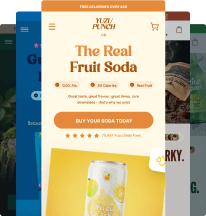
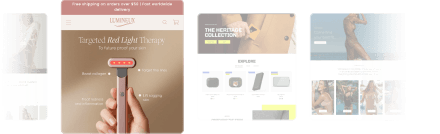
In under 60 seconds, Atlas builds:
- Home, product, FAQ, about, and contact pages
- Direct-response copy that sells
- Studio-grade product photos using AI
- Built-in bundling, upsells, and urgency blocks
- A premium Shopify theme with animations and mobile optimization
No coding, no templates, no drag-and-drop.
Step 4: Customize & Optimize
Once Atlas generates your store, make it yours:
- Tweak the product description or add your own spin
- Add additional pages or images if needed
- Use the in-cart upsell and bundling tools to increase AOV
- Customize theme colors, logo, and trust badges
Pro Tip: Use Atlas’s urgency sections, FAQs, and guarantees to eliminate buying hesitation.
Step 5: Launch & Promote
Once your store looks solid:
- Double-check mobile responsiveness
- Set up Shopify Payments or Stripe
- Buy a domain (directly from Shopify or via GoDaddy/Google)
Start driving traffic:
- Launch a TikTok or IG Reels ad
- Partner with micro influencers
- Use organic content + link in bio
You don’t need a huge budget—just consistency and creativity.
Final Thoughts
Starting a Shopify store in 2025 doesn’t have to be overwhelming.
With tools like Atlas AI, you can launch a beautiful, branded, high-converting store in under an hour—even if you’ve never sold online before.
👉 Install Atlas and build your store today
Related Posts:
- One-Product Shopify Store Examples That Convert
- How to Use AI for Dropshipping in 2025
- Product Page Optimization Checklist
Tags: #Shopify2025 #StartShopifyStore #AIStoreBuilder #AtlasAI #EcommerceForBeginners
.webp)

.webp)